Function: Position List
The Open Position List function allows saving/reading positions to/from a list, which can be combined with the Overview Scan function for multi-position imaging:
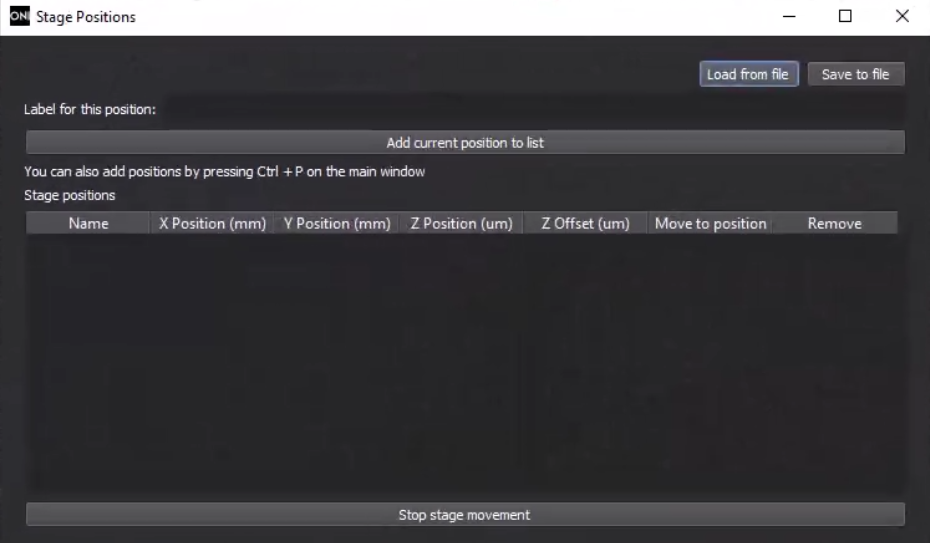
- Load From File/Save To File: load/save a position list from/to a JSON file.
- Label For This Position: set the label of the current position for reference.
- Add Current Position To List: add the current position with its label to the list. Press "CTRL+P" on the main window to add positions with the label Position #.
- Stop Stage Movement: stop the stage.
Instructions
- Move the stage to the target position.
- Click on Open Position List to open the position window.
- In the pop-up window, set a label for the current position and click on Add Current Position To List to add it to the list.
- Repeat the process for other positions.
Discussions
- The Open Position List function is commonly used together with the Overview Scan function to identify positions for imaging.
- The position list can not be imported into the Multiple Acquisition Setup function directly, and each position needs to be transferred individually.